USER GUIDEChapter 03
New label: set the media and precision first
Choosing size, DPI and lane count.
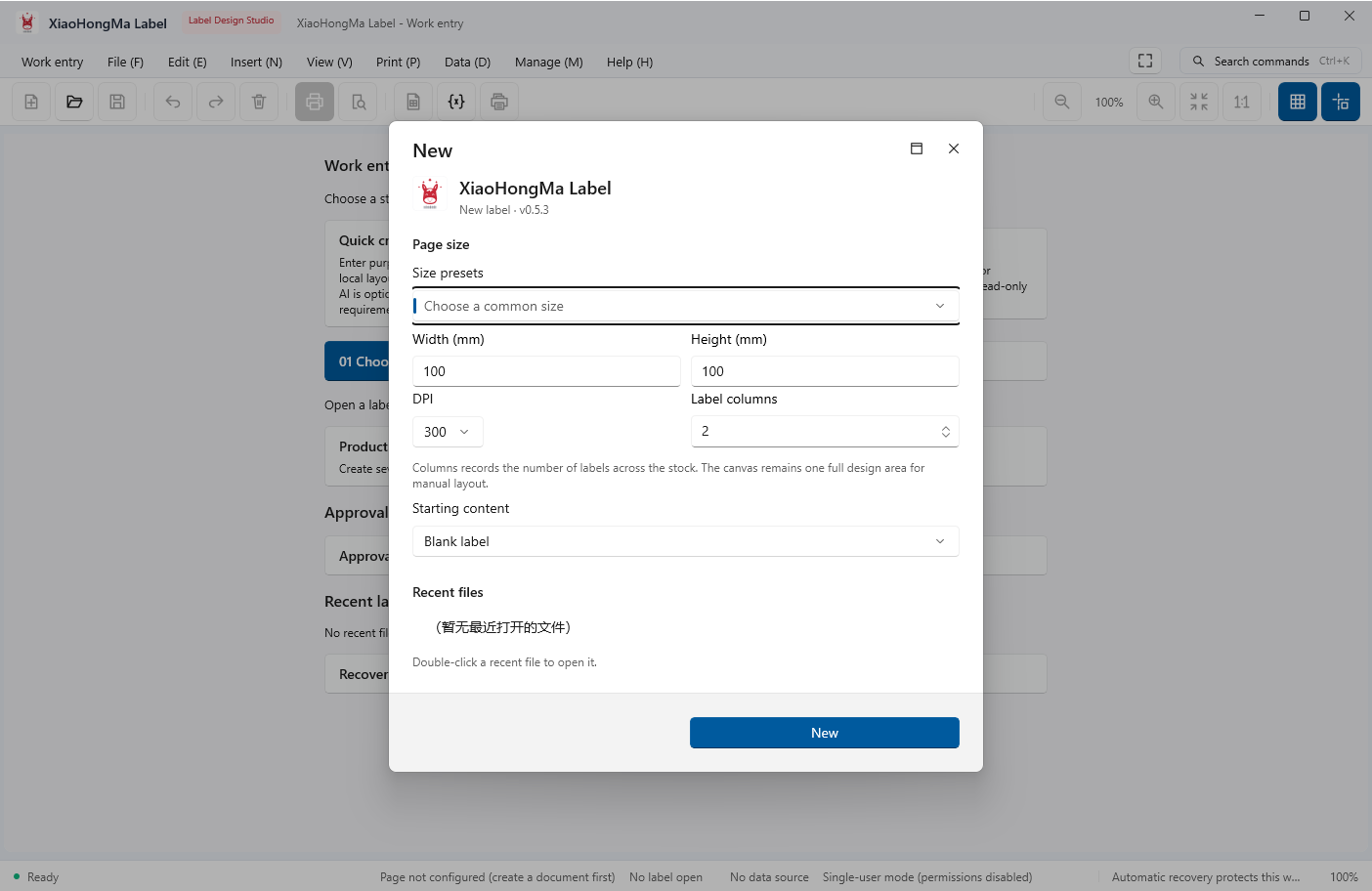
Enter the label size in millimetres and pick the DPI that matches your printer. Columns only describe horizontal lanes on the media; the canvas stays one design surface.
- Pick a common size preset or type width and height in mm
- Choose the DPI matching the printer (203 / 300 / 600)
- Set the column count for multi-lane media
- Choose the starting content (blank or template) and click Create
Size and DPI can be changed later, but existing element positions shift; set the media first.
← / → moves between chapters