
Model selection
Choose an available model for your task and review its capabilities and unit prices.
PRODUCTS / AIGS
AIGS Agent, model APIs and business software. Choose the tools for your next project, then explore the details.
01 / AIGS AGENT
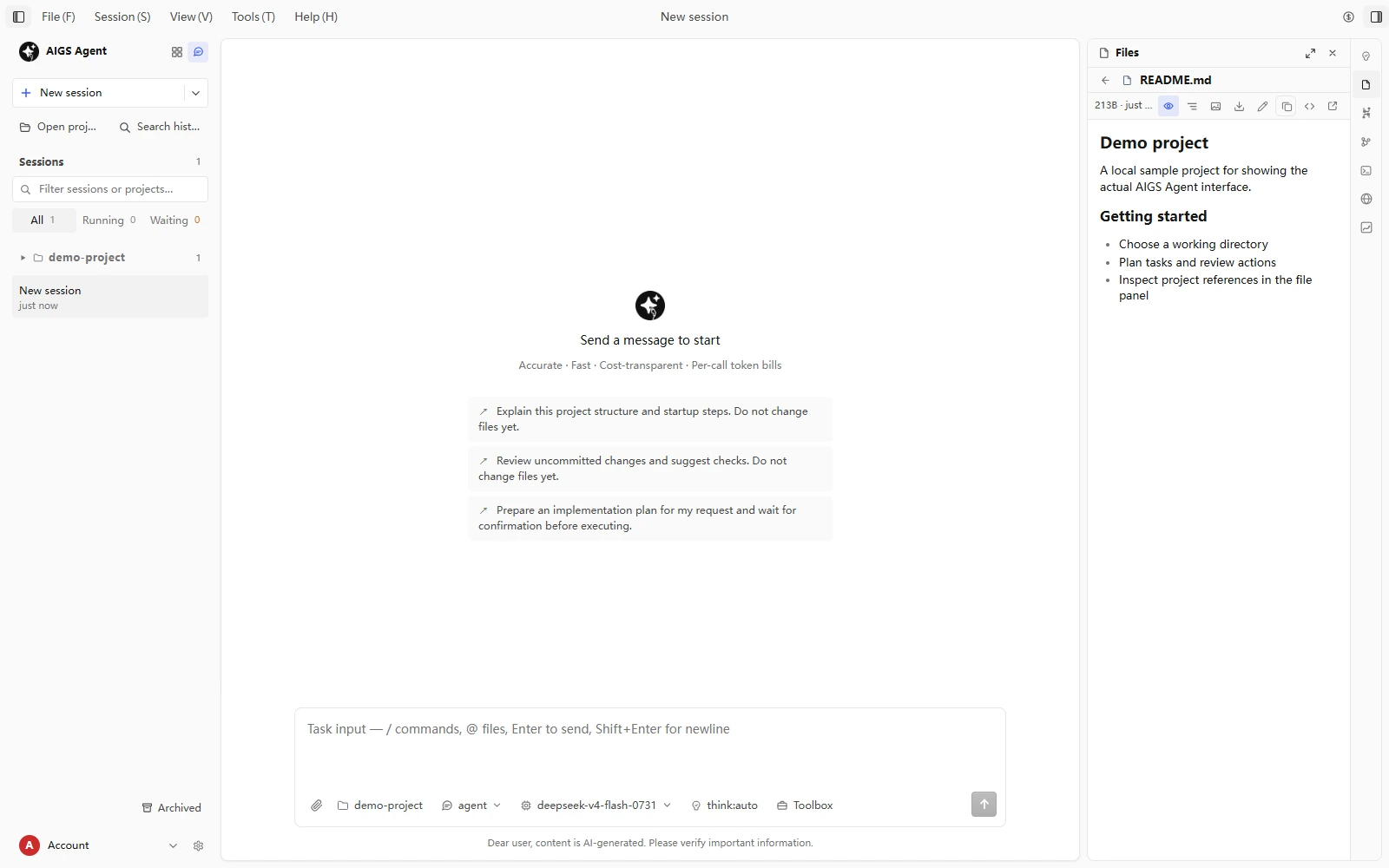
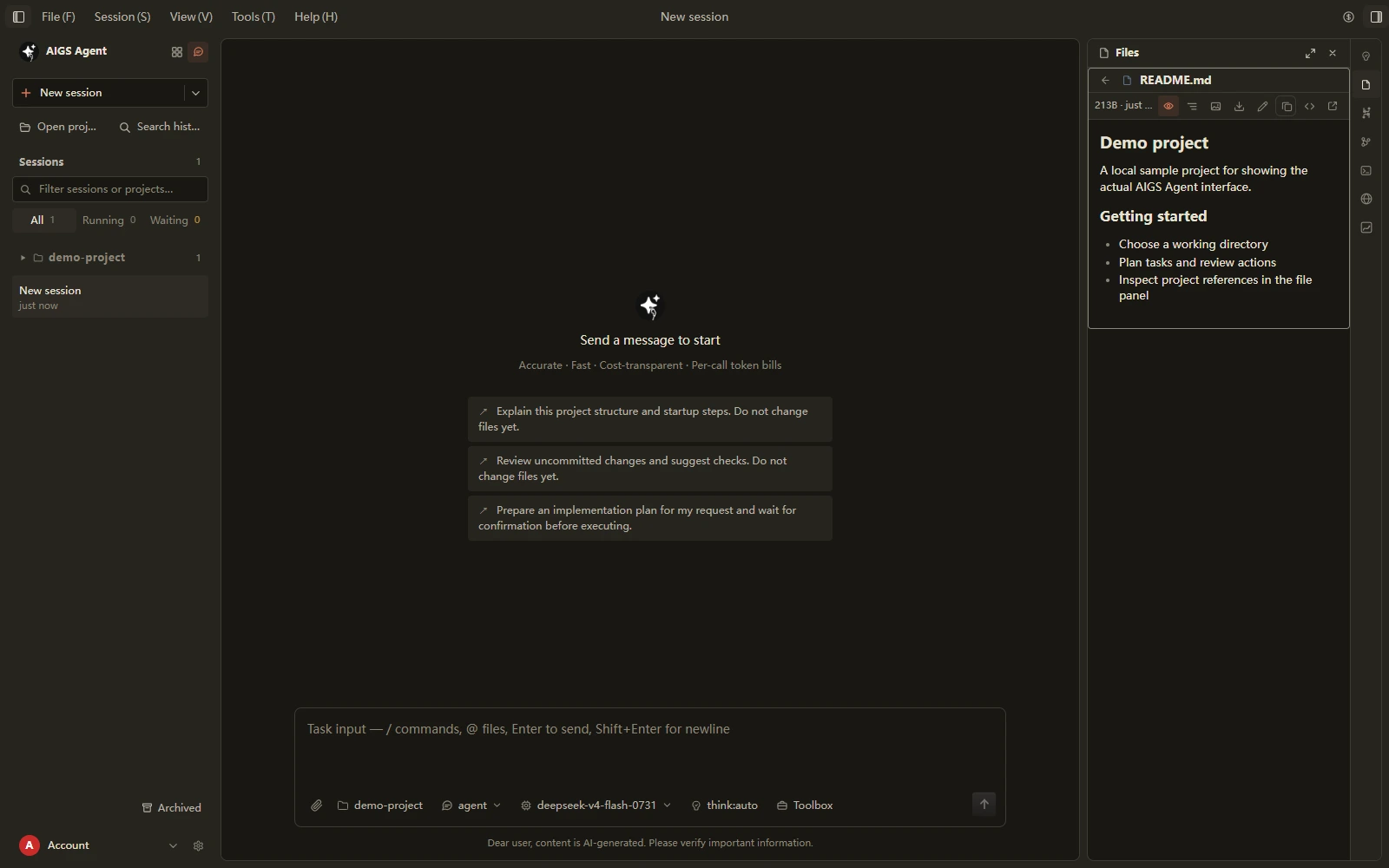
Read files, edit code, run tools and check results in local projects through the desktop or terminal. Follow the work and review the final changes.
XHM LABEL / BUSINESS SOFTWARE
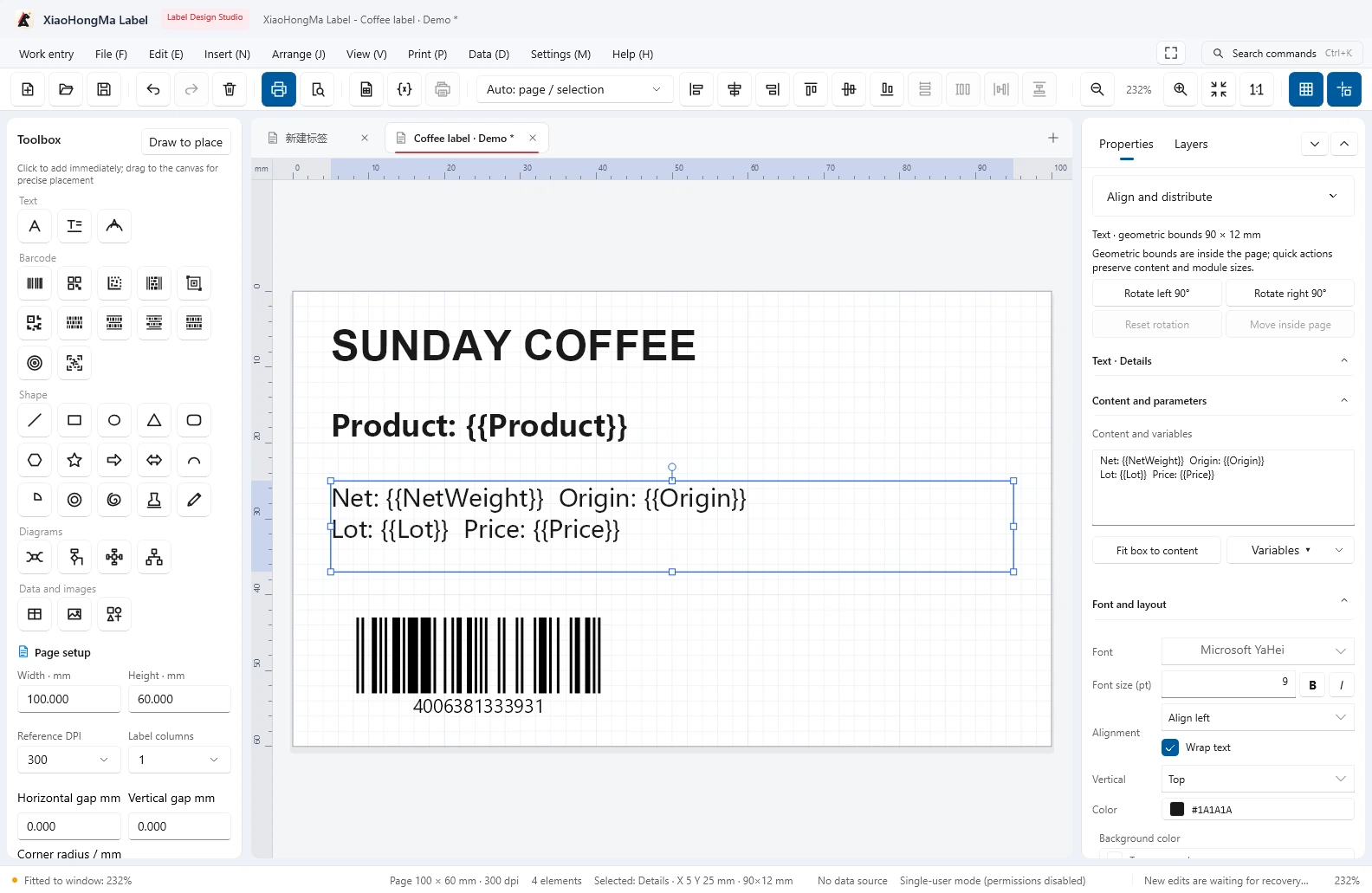
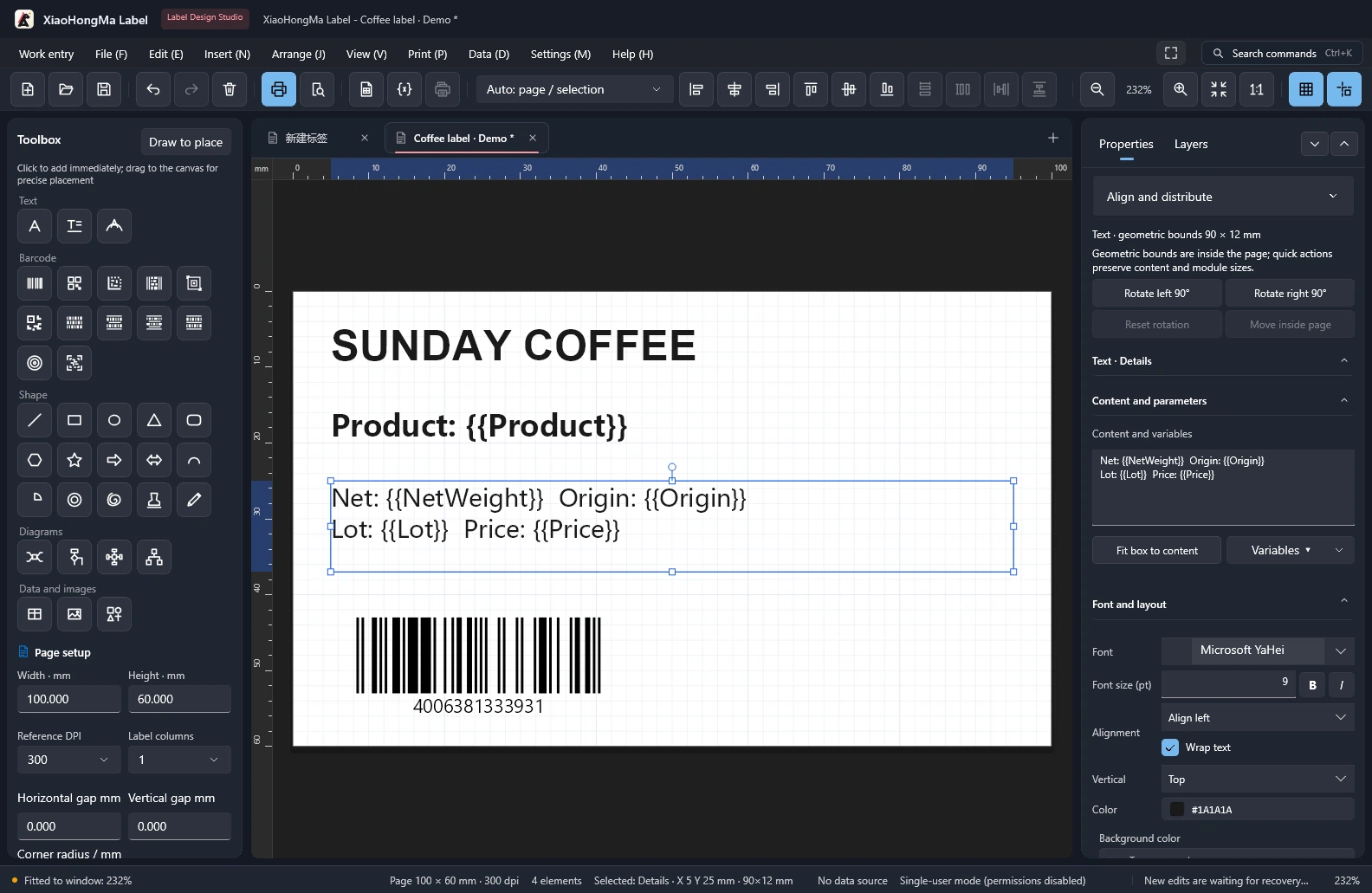
A Windows label and barcode workspace for millimeter design, field mapping, batch printing and output checks. Explore features, editions, updates and delivery.
Editions & purchase ↗02 / MODEL API
From choosing a model to making calls, manage access keys, account details and usage in one console. Bring model services into your project with a clear next step.
Services & billingCONNECT / BUILD / REVIEW
Explore available models, capability descriptions and unit prices in the catalog.
Browse the model catalogSign in to the console to create and manage your own access keys.
Manage access keysReview account usage and call records, and adjust to your project's needs.
Review usage recordsChoose an available model for your task and review its capabilities and unit prices.
Manage keys in the console and configure permissions to fit your application.
Review usage and account information to understand calls as your project grows.
Check service status and contact support when you need help.
03 / ONLINE SOFTWARE
Business and collaboration software in the browser for teams and ongoing iteration. Start with the capabilities your team needs most, then shape the way information, workflows and people connect.
DESKTOP / LOCAL WORKFLOWS
Installed tools and clients for local workflows, devices and internal use. Confirm available versions and licensing scope separately.
Explore desktop softwareCUSTOM / INTEGRATION
Development, interfaces and system integration are assessed against your requirements. Scope and deliverables are agreed in writing before delivery.
Explore custom servicesAIGS / BUSINESS WORKSPACE
Bring customer follow-up, team collaboration, files, assets and everyday operations into a workspace shaped around your business.
The modules below are planned product capabilities. Confirm availability, deployment, licensing and fees separately. Self-service purchasing is not open.
Planned customer profiles, follow-up records and opportunity tracking to keep customer information and business progress organized.
Planned centralized team storage, file organization and permission-based sharing to reduce scattered files and repeated transfers.
Planned internal messaging, project groups and file exchange to connect everyday discussions with teamwork.
Planned company profiles, product showcases and content management for a consistent online presence.
Planned categories, tags and search for images, videos and documents, making business materials easier to organize and reuse.
Planned income and expense records, categories and internal summaries. Not a substitute for statutory accounting, audits or tax filing.
For authorized recovery requests, assess the device, damage and scope before agreeing on an approach. Successful recovery is not guaranteed.
Tell us about your team, existing tools and priorities so we can agree on scope, deployment and delivery.
Discuss your workspace ↗04 / DESKTOP SOFTWARE
From project development to label design, choose a desktop tool for the task. Explore real interfaces and workflows, then visit each product page for versions and downloads.
Read local project files, edit code, run tools and check results. Follow tasks through the desktop workspace or terminal, and review the final changes yourself.
Bring label design, field mapping, batch printing and output checks into one workspace. Organize your design and printing workflow around real labels and data.
05 / CUSTOM DEVELOPMENT
Discuss business software, interfaces and system integration around your existing tools and real requirements. Start with the problem, then agree on scope, deliverables and acceptance in writing.
DEVELOPMENT / AREAS
These are areas for discussion. Modules, feasibility and delivery scope are assessed individually.
Connect sales, purchasing, inventory and finance around consistent business data and workflows.
Define document flows, account records and everyday queries for purchasing, sales and inventory.
Organize execution and collaboration through work orders, assignments, progress records and checks.
PROCESS / DELIVERY
Understand the use case, existing systems and priorities.
Confirm features, quotation, deliverables and acceptance in writing.
Develop, test and connect interfaces within the agreed scope.
Check the agreed criteria and deliver the documented outcomes.
Timing, deployment, data migration and ongoing maintenance are confirmed in the written proposal or contract.
Delivery and pricing detailsPRODUCT & DELIVERY
Software downloads, model usage and custom development are separate services. Confirm scope, billing and delivery before purchasing.
Delivery & use
Get the installer from the product page, connect your account and use the desktop or terminal. Check that page for available versions and system requirements.
Pricing confirmation
Downloads and model usage are described separately. Paid models are billed according to actual usage and their unit prices.
Delivery & use
Requirements → written proposal → contract → development and testing → acceptance. Deliverables, deployment and maintenance scope are specified in the contract.
Pricing confirmation
Assessed by modules, integrations, data migration and implementation work. Confirm a written quotation before signing.
Delivery & use
Integrate agreed interfaces, permissions, environments and workflows; accept the work against agreed integration results and documentation.
Pricing confirmation
Quoted by project or workload. Timing, support and additional charges are specified in the contract.
Discuss requirements before agreeing on price, deliverables and acceptance.
Contact us ↗