USER GUIDEChapter 04
Canvas, toolbox and property panel
Toolbox groups, properties panel and layer order.
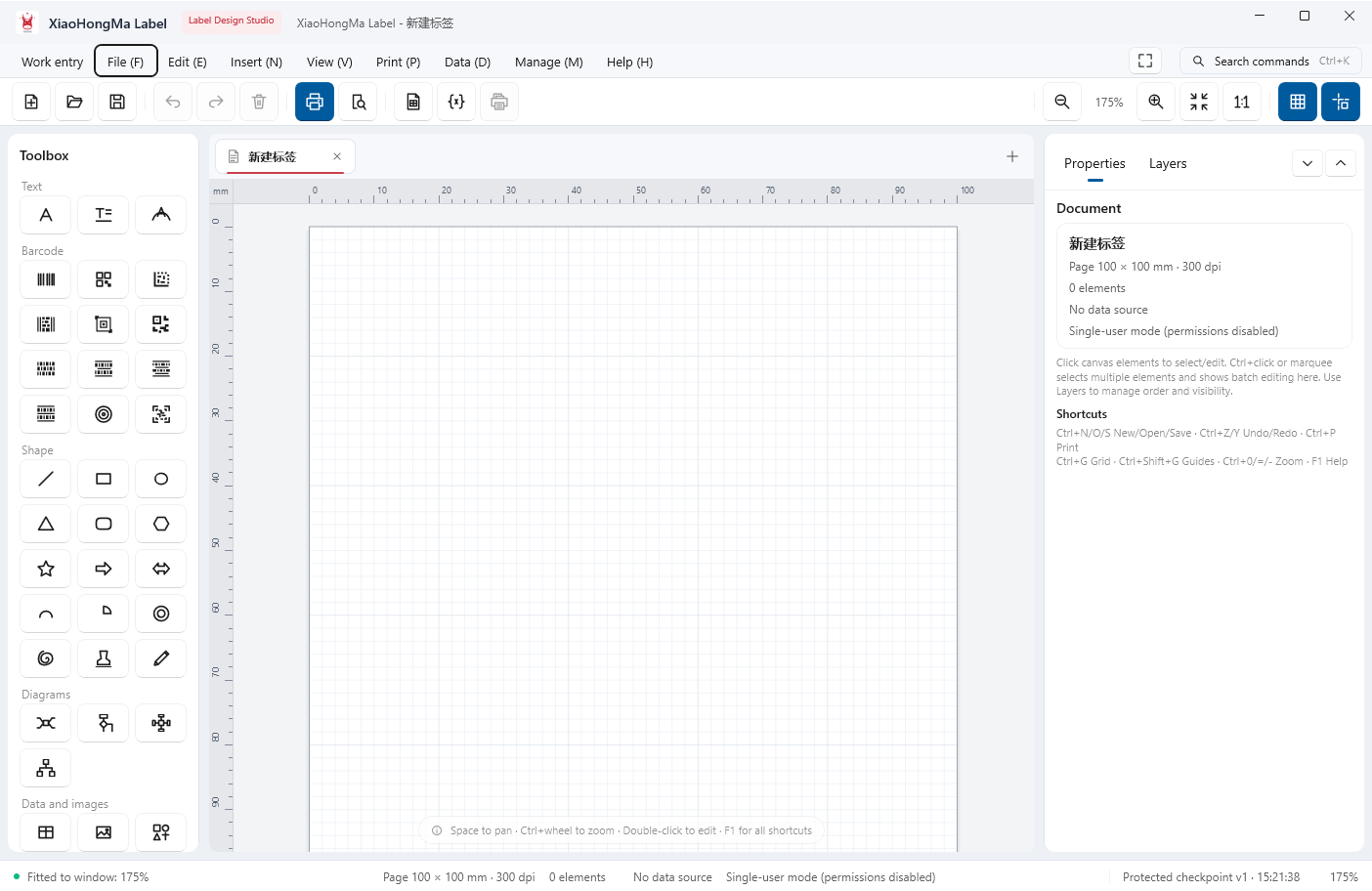
The toolbox groups text, barcodes, shapes, structures, data and images. The canvas carries a millimetre ruler, and the right side switches between properties and layers.
- Click a toolbox button to insert an element, then drag or nudge with arrow keys
- Edit content and style under Properties; reorder and hide under Layers
- The status bar shows selection count, page size and barcode validation
Space + drag pans the canvas, Ctrl + wheel zooms, Ctrl + G toggles grid and guides.
← / → moves between chapters