Project context
Use local files and task context to understand the project and change scope.
AIGS AGENT / DESKTOP & TERMINAL
Describe your goal in natural language and work with an agent to read, edit and check your project. Desktop and terminal workflows connect requests, tools and review.
Review AI output and independently verify important operations.
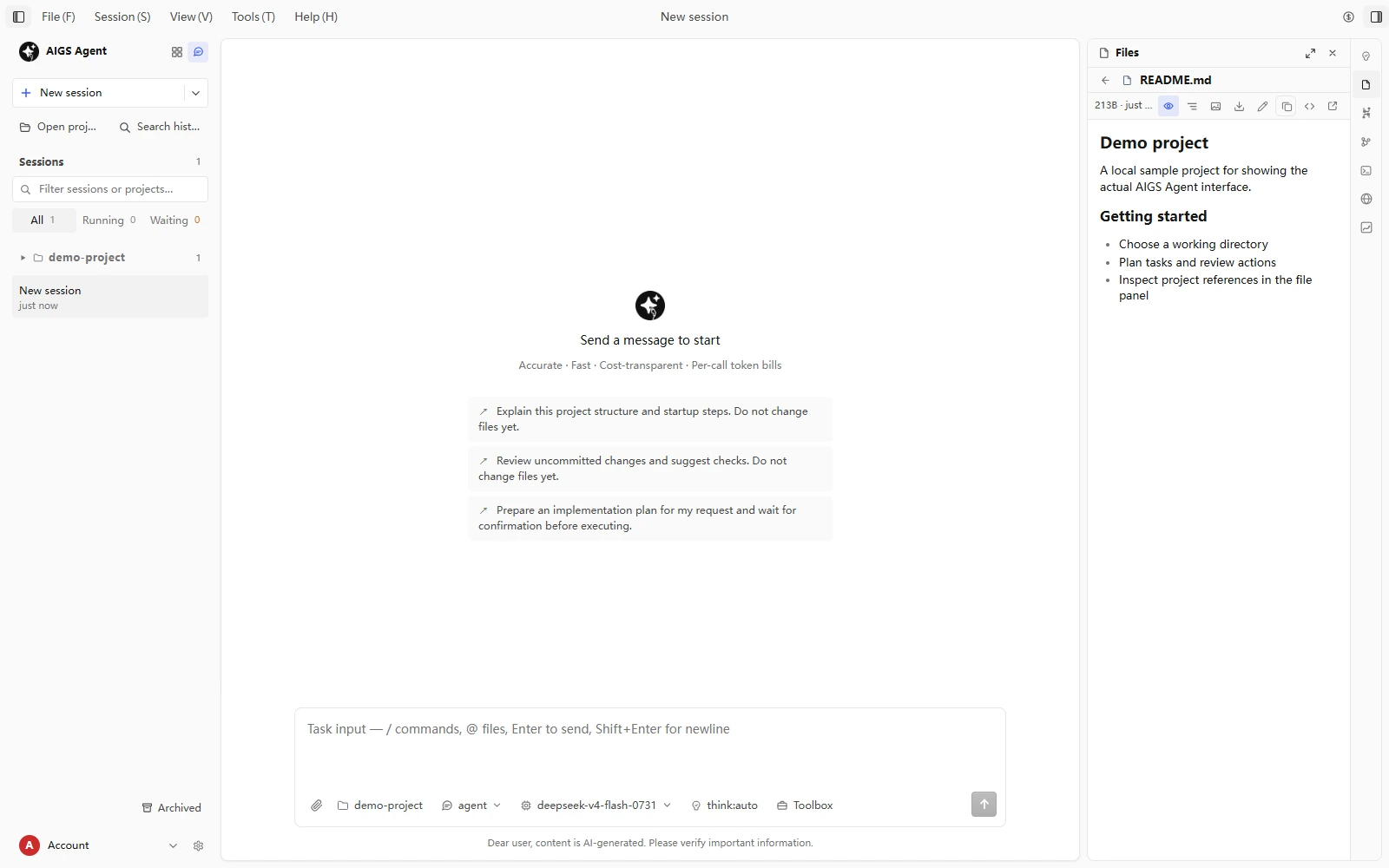
CAPABILITIES / AIGS AGENT
Use local files and task context to understand the project and change scope.
Edit code toward a defined goal, with changes for you to inspect and confirm.
Use project tools, run checks and follow execution and results.
Inspect product and account usage records. Platform records determine billing.
Review permissions and approvals; verify the scope of sensitive operations.
Describe requirements and follow the work through desktop or terminal workflows.
GETTING STARTED
Check available versions and compatibility in Downloads.
Follow sign-in or authorization and review model pricing and usage.
Start with a recoverable test project; confirm directory and permissions.
Define a goal, follow tools and inspect all changes.
WINDOWS / PUBLISHED RELEASE
v0.4.181 · 82.1 MB
SHA-256a11e9aa93b680b6abbf0815a256e15fe1b6c114b6446315ff7d061eb5d9db326TERMINAL WORKFLOW
Type / in a session to open the command palette — these are the high-frequency ones
/costPer-request ledger and summary of this session
/export costExport a per-request CSV to reconcile with the console
/modelBrowse the model list and switch the main model
/model syncForce a platform sync (listing / delisting / prices)
/compactCompact context with preview and undo
/thinkingTune thinking effort to balance speed and usage
/permissionApproval mode with a per-command bash allowlist
/doctorSelf-check network and config — first stop for debugging
USAGE / CONTROL
A software download does not include paid model usage. Check prices, balance and usage records in your account and define an appropriate task scope.
Services & billing ↗Only verified published installers appear in Downloads.
Models are billed by actual usage and unit prices.
Check generated output and code changes before using them.
QUESTIONS / ANSWERS
AIGS offers a desktop and terminal AI coding agent, model API access, and online and desktop business software. Explore product features and workflows, or contact us about custom development.
Read project files, edit code, run tools and check results. Describe tasks through the desktop or terminal, and review changes before using them.
Visit the AIGS Agent page for the available installer, version and system requirements. Follow the documentation to connect your account and select a project.
Downloads and model usage are described separately. Paid models are metered by actual usage and unit prices. Check the console and checkout for current services, billing rules and payment methods.
Discuss requirements with support, then confirm scope, deliverables, timeline, price and acceptance in writing. Development, testing, delivery and agreed maintenance follow the contract.
Contact the support email or submit a console ticket with the issue and order number. See the refund policy for conditions and procedures; custom projects also follow their contracts.
AIGS AGENT