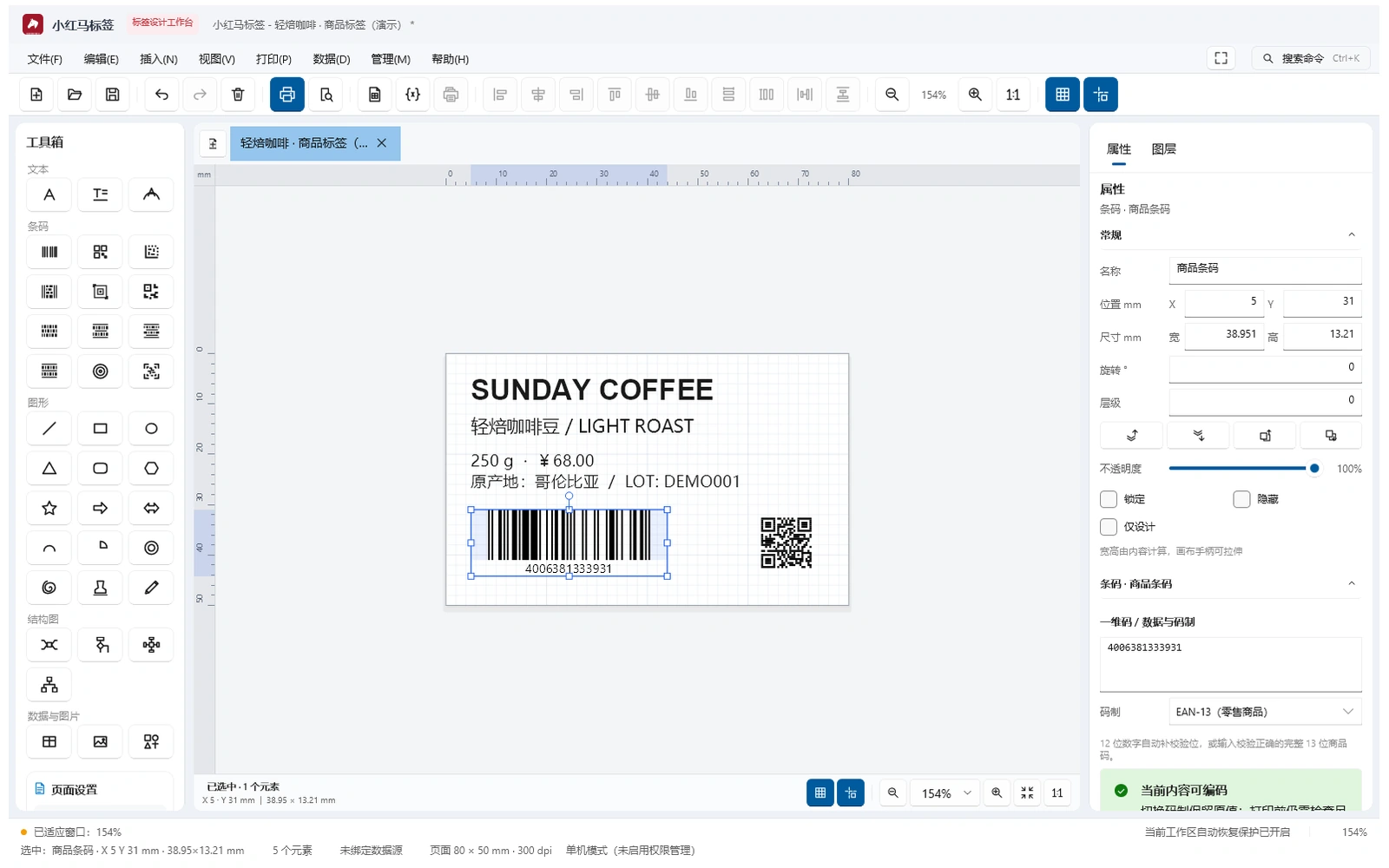
Xhm Label brings millimeter-based design, barcodes, tabular data and print checks into one workspace. From a single product label to a batch that needs review, keep content, quantities and output settings clear.
Required runtimes are included. Install and launch.
Millimeter designReview dimensions, alignment and module dots
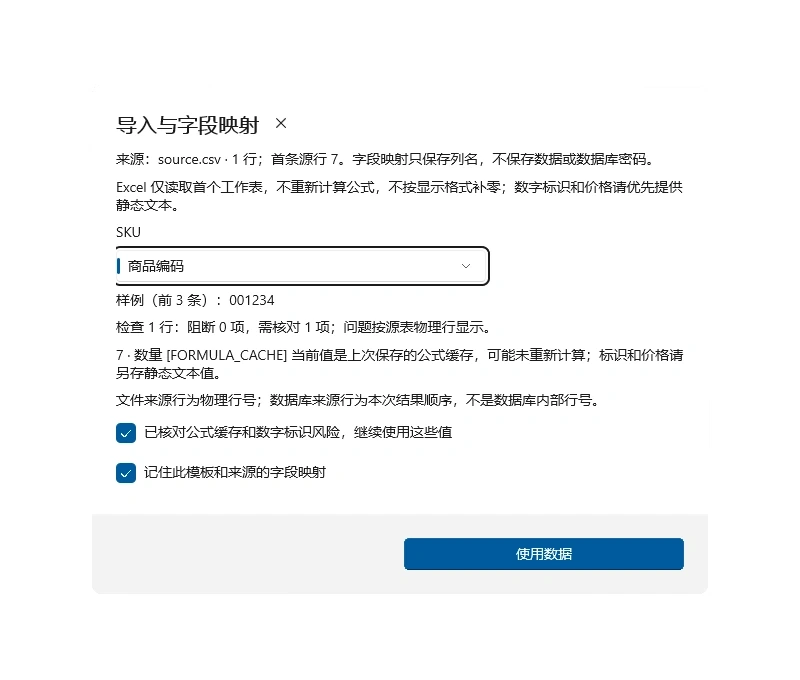
Data-drivenCSV, Excel, databases and field mapping
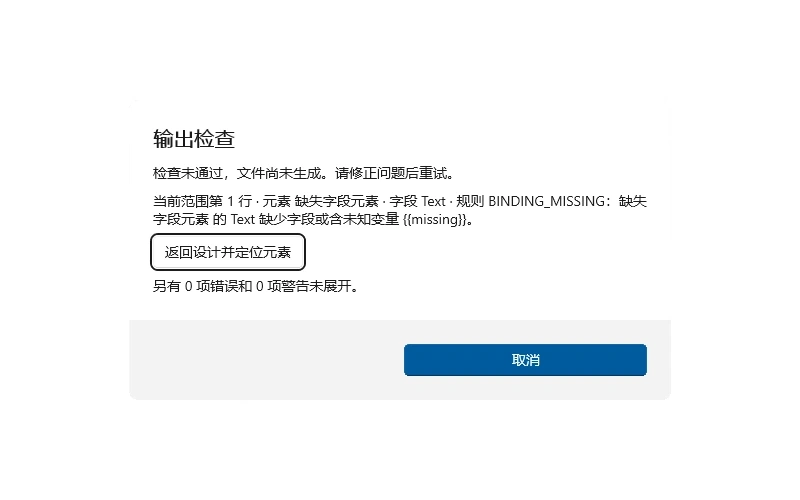
Check before outputLocate issues, review warnings and freeze content
01 / DESIGN → DATA → OUTPUT
Design, data and output.
One connected workflow.
Keep familiar canvas tools and bring data and print issues into view before submitting a job.
01
Editable label design
Combine text, rich text, images, shapes and tables with layers, alignment, templates and multiple document tabs.
02
Linear & matrix barcodes
EAN, Code 128, GS1, QR, Data Matrix and more. Validate content, review dimensions and optimize modules for the target DPI.
03
Import & map data
Map source headers to template fields, preserve text zeros and source rows, and review formula caches or risky numbers.
04
Batches & serial numbers
Arrange output by records, copies and numbering rules. Reserve production numbers and review original records after an interruption.
05
Multiple output channels
ZPL, TSPL, bitmap, Windows printing and PDF. Save printer profiles and use a test card to calibrate stock and position.
06
Optional AI assistance
Start with local quick creation. Choose AI assistance for special requirements. AI needs separate configuration and billing.
CHECK / REVIEW / LOCATE
Catch issues before printing.
Check missing fields, barcode content and page boundaries before output. Issues include row and element locations; operators review warnings before continuing.
SOURCE / MAPPING / SNAPSHOT
Understand the data before filling the template.
Map differently named columns and save the mapping after reviewing samples. Reloading requires fresh checks; submitted jobs retain their original snapshots.
PROFILE / TEST CARD / CONFIRM
Keep a profile for the stock you use.
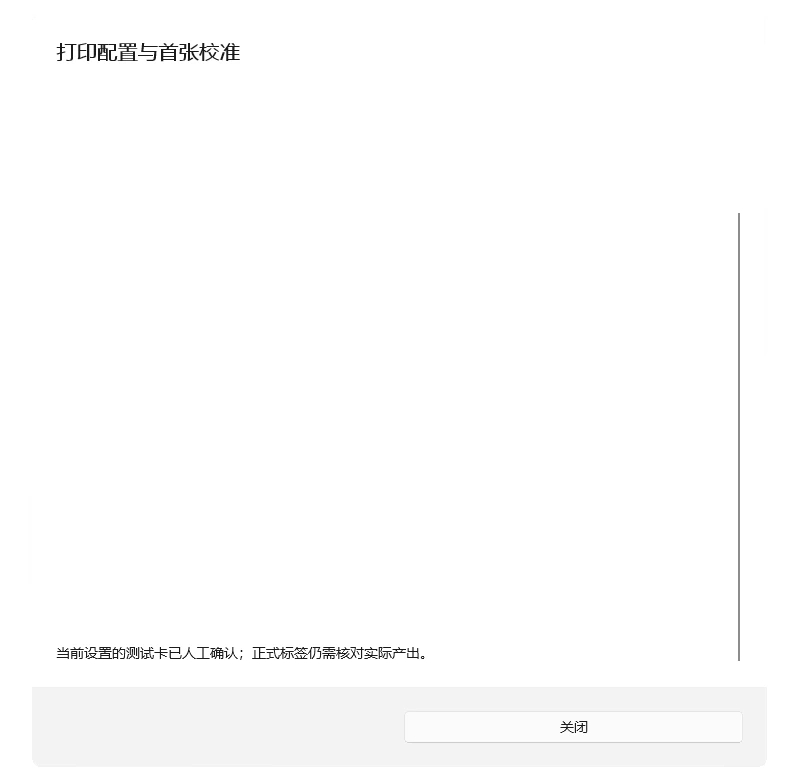
Save media-specific settings for the same printer. Check position with a card that uses no business numbers, adjust offsets and confirm again after key settings change.
02 / EVERYDAY WORK
A clear order for everyday printing.
01
Choose or create a label
Start with a template, local quick creation or the professional canvas.
02
Connect and review data
Map fields, inspect samples and confirm source risks and record ranges.
03
Check and calibrate
Fix blocking errors, review warnings and the test card, then confirm copies.
04
Submit and inspect output
Send frozen content, then check physical labels and scanning results.
03 / EDITIONS & DELIVERY
Choose how you want to work.
Features and device limits follow the current edition, order and license terms. Software licenses are separate from AIGS API credit.
XHM Label is sold once per edition and grants perpetual use on a single computer: one activation code is bound to exactly one machine. The license is issued after your website account is bound to this machine's machine code, and it works offline once activated without a permanent connection. Copying, reselling, renting, cracking or bypassing license verification is prohibited, and activation codes may not be used on devices you do not own. After moving to another computer or reinstalling the system you must obtain a new license for that machine; the previous license does not transfer automatically. The software is a label design and printing tool, so compliance of label content and actual print results remain the user's responsibility.
After-sales and refunds
From the purchase date we answer installation, configuration and usage questions through website tickets or the contact channel listed on the purchase page. This is a one-time perpetual license rather than a subscription; refunds are not available except where activation cannot be completed and the fault is confirmed to be on our side, in which case a replacement license may be agreed. Updates are provided when new versions are released and your existing license remains valid afterwards. The period of free upgrades and support follows what the purchase page states at the time of sale, and the software remains usable after that period. Invoices are issued for the amount actually paid upon request after the order is completed.
Prices, maintenance and seats are configured by an administrator. Unconfigured products do not accept payment.
04 / UPDATES & MAINTENANCE
Arrange updates around your work.
Use Check for Updates in the app to read release notes, then confirm installation. Official online sources and local or shared-directory sources support managed delivery.
Review release notes first
Compare the current version with new features and fixes, then choose an appropriate update time.
Verify the installer
Downloaded files pass SHA-256 verification before installation. Restart the app as instructed.
Separate licensing from maintenance
Perpetual use of a purchased version and maintenance coverage are separate. Upgrade eligibility, device transfers and support follow the order and formal terms.
05 / CHANGELOG
Recent development progress
These are development-preview notes, not a claim that a production installer has shipped. Confirm downloads and release notes through official delivery.
v0.5.7 · Menus and multi-tab workflow improvements
A new Arrange menu brings alignment, distribution, grouping, rotation and layer actions together.
Templates, exports, specialized barcodes and settings are grouped so common actions are easier to find.
Save all, close current, close other and close all tabs are now available; cancellation or save failure preserves unsaved work.
Added entry points for page setup, the GS1 data assistant and printer configuration, with clearer edition and role guidance.
Improved menu icons, keyboard help and Chinese and English labels; the first-launch 30-day free trial remains available.
v0.5.6 · Document opening and canvas layout improvements
Open .xhmlabel documents by double-clicking, with a dedicated document icon.
Keep click-to-add, with drag-and-drop placement and area drawing to set element size.
Improve element selection bounds and barcode display, and complete multi-element alignment actions.
Improve toolbox width and page settings, with simpler horizontal and vertical label spacing.
Preview and print labels in multiple columns, leaving unused positions blank in the final row. Calibrate for the printer paper width before printing.
Clearer data import review
Saved field mappings, sample values and a reload entry.
A few practical questions
Is AI required?+
No. Design, templates, quick creation, data binding and local printing work independently. Only an AI action that you choose needs a network service.
Which printers can I use?+
ZPL, TSPL, bitmap and Windows printer channels are available. Test the actual model, driver, DPI and media; identical results across every device are not guaranteed.
Can lost Excel leading zeros be restored?+
Not reliably. Text values are preserved and risks are flagged. If precision or zeros were already lost, provide the original data again.
Does a successful print job mean paper came out?+
Submission to a print channel and physical output are different states. Check labels and scans, and use original job records when output is uncertain.
How do I buy, transfer devices or request support?+
Use the order flow when sales are open; otherwise contact us first. Devices, maintenance, transfers and refunds follow the formal order and support terms.
Start the next label with clear data.
Share your label dimensions, data source and printer model so we can confirm a suitable edition and delivery scope.
A one-time license remains usable offline. Maintenance and device limits follow the order.
Licenses are device-bound. Maintenance expiry does not stop a purchased perpetual version. Transfers and refunds require support review. Issued offline licenses cannot be revoked instantly; please cooperate with deactivation when requesting a refund.
Request refunds or device transfers through the site contact channel for review.
Release & delivery
Official downloads follow the product release process. Local builds are not already-published installers.