USER GUIDEChapter 07
Printing: check the channel, then the first copy
Channel, copies and first-copy calibration.
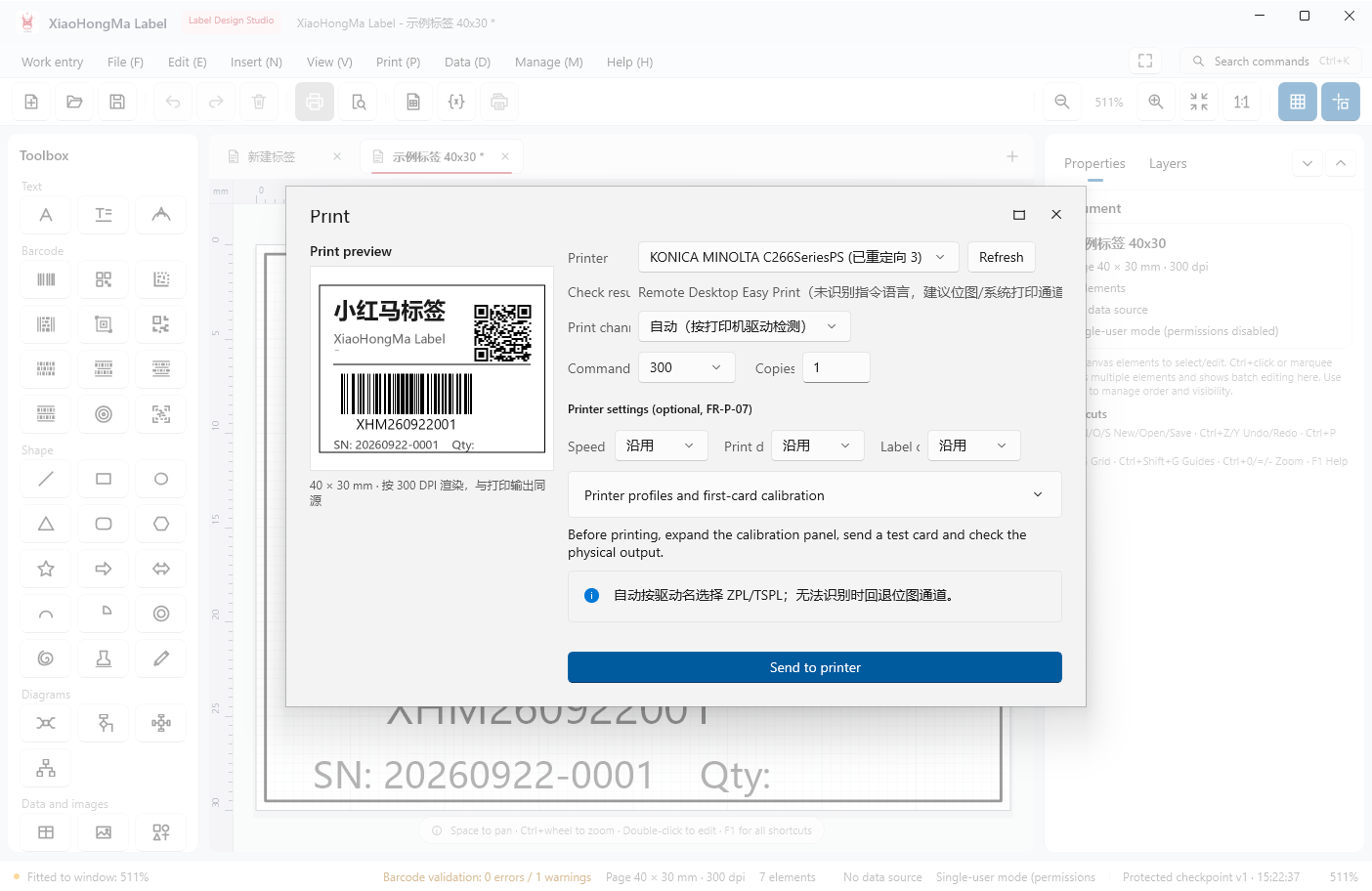
The print dialog groups printer, detection result, channel, DPI and copies. Auto mode picks ZPL or TSPL from the driver name and falls back to bitmap or Windows printing.
- Pick the printer and review the detection result and suggested channel
- Set DPI and copies; expand print parameters (speed / darkness / mode) if needed
- Expand Print configuration and first-copy calibration to send a test card
- Click Send to printer once the test looks right
Send a test card the first time you use a printer; fine-tune offsets in millimetres.
← / → moves between chapters